China iron ore
See port stocks before the print.
For DIY steel and miners investors. Track China iron-ore yard occupancy when coverage lands, not when the delayed print finally arrives.
Watchlist
1 signal
The problem
Why iron-ore theses wait on lag.
Yards move before prints.
Occupancy and stockpile footprints shift while you are still waiting on a delayed Mysteel-style number.
One-off photos do not make a series.
Google Earth and single port photos do not give you a comparable week-to-week demand thermometer.
Retail lacks the desk feed.
Specialist EO and port analytics exist for desks. DIY investors get tabs, lag, and guesswork.
Aureum's solution
One occupancy KPI. Less print anxiety.
A comparable occupancy read.
Track gives you a physical occupancy KPI between delayed prints, so you are not reconstructing stocks from lag and forum chatter alone.
A board you can revisit.
Occupancy lands on a board you can open every session, not a pile of one-off port photos.
Query when a port looks off.
When a berth or yard needs a closer look, Query answers the exception with evidence while the board stays in place.
How it works
Watch the yards. Catch demand early.
Put China iron ore on the board.
Open the port-stock occupancy KPI beside other physical-economy Track boards.
Follow occupancy drift on Track.
Coverage updates refresh the thermometer so you notice demand shifts across sessions.
Query the berth exception.
Ask about a specific port or yard when a print or rumour needs a ground check.
Follow China port stocks on Track.
A short walkthrough of Track for this job.
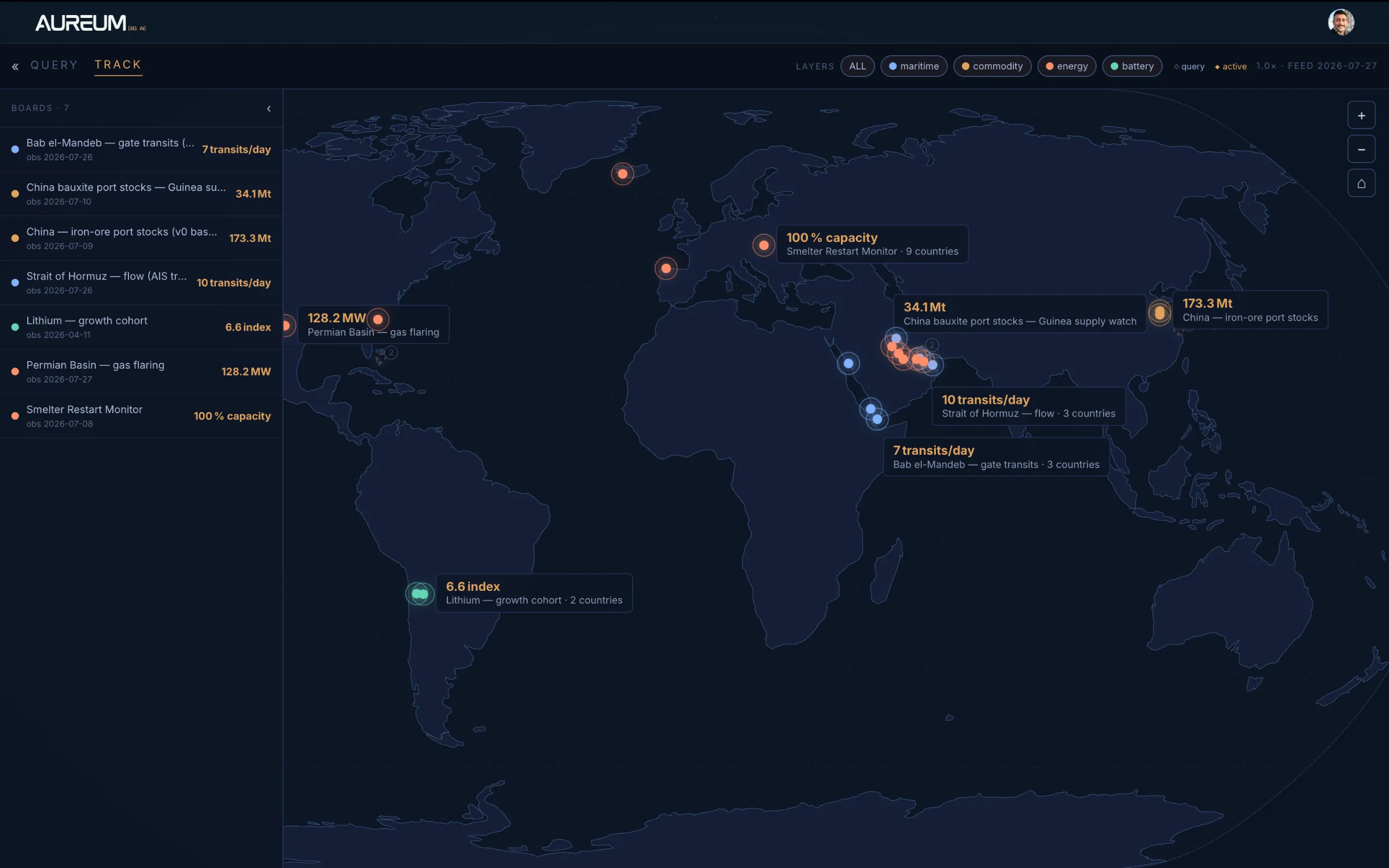
Track.
Hand-built KPI boards on the ports and commodities that move steel theses.
Use the arrows or the rail below to move through the tour.
Questions DIY iron-ore investors ask
Follow China iron-ore ports on Track
Beta access to Track KPIs and Query.